

Paired, recreation-ready direction
Classic Meets Modern 2AI Product Video Ad Example
Classic Meets Modern 2 keeps its video, exact prompt, and bound reference assets together for a faithful handoff into the studio.
Contrast timeless styling with a modern product
Create this adInputs carried into the studio
Renaissance oil-painting-style video with cracked-paint texture, warm aged varnish tones, soft sfumato diffusion, and dramatic chiaroscuro lighting — ethnically diverse American men and women in their 20s-30s styled as Renaissance figures in draped fabrics, set across fictional Renaissance estates, marble courtyards and celestial cloudscapes, with a deep rhythmic American male voiceover over classical strings and harpsichord. A woman with wavy hair in silk robes reclines against velvet curtains holding one festive creme-filled cookie, a pack resting on a marble pedestal beside her — "Experience a Renaissance of your favorite holiday cookies." Against golden clouds, two diverse hands reach toward each other, one holding a cookie that reveals vibrant red creme at the center like a heavenly sun — "Discover the festive joy of vibrant red creme filling." A dark-haired man draped in fabric sits in an ornate chair admiring the winter design on a chocolate wafer, a cookie pack on a stone table — "Intricate winter designs meet the classic chocolate wafer crunch." In a snow-dusted stone courtyard, diverse friends share cookies from an OREO pack, ending with a single cookie spinning gracefully toward the camera — "Share the artistry of these festive cookies this Christmas season." Slow deliberate pans and zooms with an oil-painting canvas-grain texture throughout, no text overlays or graphics.
The prompt and any Product or Avatar paired with this result are already selected. If the original case did not bind an asset, that slot stays empty.
/ 01 Creative blueprint
Why does the Classic Meets Modern 2 creative style work?
This case keeps the specific video result paired with its full prompt instead of substituting one generic direction.
Best for
Studying the creative structure before adding your own product.
What to customize
Replace the Product or Avatar when needed while preserving the original shot, action, and pacing structure.
/ 02 Photo2Ads workflow
From this case to your product
Choose one result
Each preview keeps its own exact inputs.
Review paired assets
Product and Avatar load only when the selected result used them.
Generate and refine
Adjust the prompt, model, or references before creating.
/ 03 All examples
More directions to explore
Compare the other results in this format or explore another creative style.
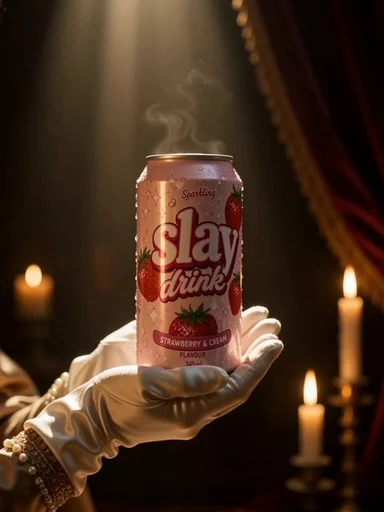
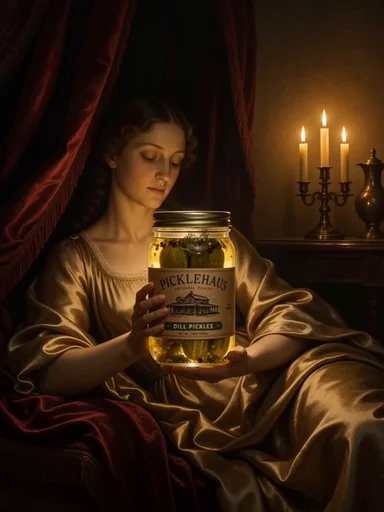
Photo2Ads / create