

Paired, recreation-ready direction
Direct-to-Camera 3AI Product Video Ad Example
Direct-to-Camera 3 keeps its video, exact prompt, and bound reference assets together for a faithful handoff into the studio.
A creator speaking straight to the audience
Create this adInputs carried into the studio
Bright high-key commercial e-commerce ad with a clean sharp digital look, soft even studio lighting, and a minimalist neutral studio wall, static waist-up medium shot — a cheerful stylish American woman in her early 20s showcasing "Chupslight Pops," a green apple glow-in-the-dark lollipop in a bright green wrapper. She smiles and holds up the wrapped lollipop with excitement — "Say hello to Chupslight Pops!" She unwraps it and tastes it with a delighted expression savoring the green apple flavor — "Juicy green apple that tastes amazing." The studio lights dim to near-darkness and she sticks out her tongue, which glows vivid green and lights up her surprised smiling face — "But here's the magic — it glows in the dark!" She reacts with wide-eyed amazement and laughter, then points playfully at the camera holding up the lollipop as the lights come back up — "Try it and light up your smile!" Locked-off eye-level camera with sharp focus on model and lollipop, striking dark-to-glow contrast on the reveal, upbeat royalty-free pop instrumental with a soft wrapper crinkle and playful "ta-da" glow sting, kept subtle beneath a friendly young American female voiceover, photorealistic, no text overlays or graphics.
The prompt and any Product or Avatar paired with this result are already selected. If the original case did not bind an asset, that slot stays empty.
/ 01 Creative blueprint
Why does the Direct-to-Camera 3 creative style work?
This case keeps the specific video result paired with its full prompt instead of substituting one generic direction.
Best for
Studying the creative structure before adding your own product.
What to customize
Replace the Product or Avatar when needed while preserving the original shot, action, and pacing structure.
/ 02 Photo2Ads workflow
From this case to your product
Choose one result
Each preview keeps its own exact inputs.
Review paired assets
Product and Avatar load only when the selected result used them.
Generate and refine
Adjust the prompt, model, or references before creating.
/ 03 All examples
More directions to explore
Compare the other results in this format or explore another creative style.
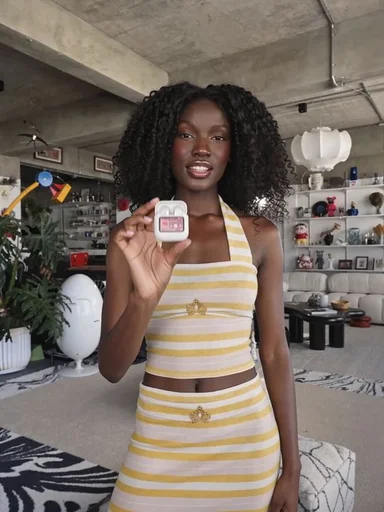
Photo2Ads / create