

Reusable creative direction
Direct-to-Camera AI Product Video Ad Examples
Compare three Direct-to-Camera executions, then adapt their reusable visual directions to your product. Product and Avatar references document the original case but are not loaded into your studio.
Example 1 / Video ad
Direct-to-Camera
A creator speaking straight to the audience
Product
Not paired in this result
Avatar
Not paired in this result
Reusable visual direction
Use the uploaded product as the exact reference, preserving its shape, proportions, colors, materials, surface details, labels, and packaging in every frame. A confident presenter holds the uploaded product clearly at chest height, with natural hands and consistent avatar identity. Open with a direct eye-contact introduction; then the presenter rotates the item toward three clean angles; finally they demonstrate a single visible feature. Use a locked medium camera with a precise product close-up and gentle forward dolly. Use bright high-key softbox lighting in a clean white studio scene with one restrained color panel. End on the presenter stepping aside for a centered commercial hero payoff. Do not redesign the product, invent logos or text, add extra products, distort faces or hands, change reference identity, break physical continuity, introduce flicker or warping, or add captions and watermarks.
Optional Dialogue template
Meet [PRODUCT]. It is designed for [APPROVED_BENEFIT]. [CTA]
Best for
Studying the creative structure before adding your own product.
What to customize
Use your product and approved wording, then adjust the shot, action, and pacing for the duration you selected.
Example 2 / Video ad
Direct-to-Camera 2
A creator speaking straight to the audience
Product
Not paired in this result
Avatar
Not paired in this result
Reusable visual direction
Use the uploaded product as the exact reference, preserving its shape, proportions, colors, materials, surface details, labels, and packaging in every frame. A friendly host moves around the uploaded product on a counter without obscuring labels or changing its exact appearance. Open with the host entering beside the product display; then they pick it up, point to a detail, and perform its intended motion; finally they return it to the marked position. Use a smooth waist-height tracking camera with an overhead insert and a controlled rack focus. Use warm retail-style lighting in a polished demonstration-counter scene with shallow background shelves. End on the host gesturing toward an immaculate product hero arrangement. Do not redesign the product, invent logos or text, add extra products, distort faces or hands, change reference identity, break physical continuity, introduce flicker or warping, or add captions and watermarks.
Optional Dialogue template
This is [PRODUCT], created for [APPROVED_BENEFIT]. [CTA]
Best for
Studying the creative structure before adding your own product.
What to customize
Use your product and approved wording, then adjust the shot, action, and pacing for the duration you selected.
Example 3 / Video ad
Direct-to-Camera 3
A creator speaking straight to the audience
Product
Not paired in this result
Avatar
Not paired in this result
Reusable visual direction
Use the uploaded product as the exact reference, preserving its shape, proportions, colors, materials, surface details, labels, and packaging in every frame. A presenter remains in silhouette behind the uploaded product, keeping human gestures subtle and the reference dominant. Open with a narrow beam revealing the product alone; then the presenter steps into edge light and turns the item slowly; finally a graphic shadow movement emphasizes its silhouette. Use a premium low-angle camera with a slow orbit and an extreme macro texture insert. Use dramatic color-block studio lighting in a dark stage scene with geometric panels and reflective floor. End on the presenter fading back as the illuminated product holds in a bold hero payoff. Do not redesign the product, invent logos or text, add extra products, distort faces or hands, change reference identity, break physical continuity, introduce flicker or warping, or add captions and watermarks.
Optional Dialogue template
Choose [PRODUCT] when you want [APPROVED_BENEFIT]. [CTA]
Best for
Studying the creative structure before adding your own product.
What to customize
Use your product and approved wording, then adjust the shot, action, and pacing for the duration you selected.
Photo2Ads workflow
From this case to your product
Choose one direction
Each preview demonstrates a distinct scene, camera, action, or pace.
Review the evidence
Source references explain the example without replacing your materials.
Generate and refine
Adapt the visual direction and Dialogue while keeping your current model and duration.
All examples
More directions to explore
Explore other canonical creative-style collections in the same category.
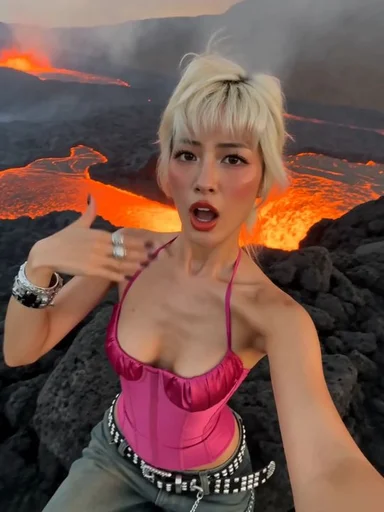
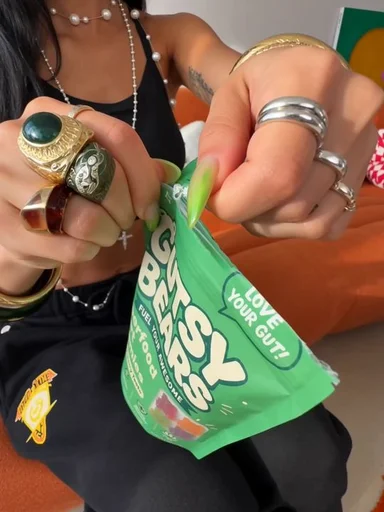
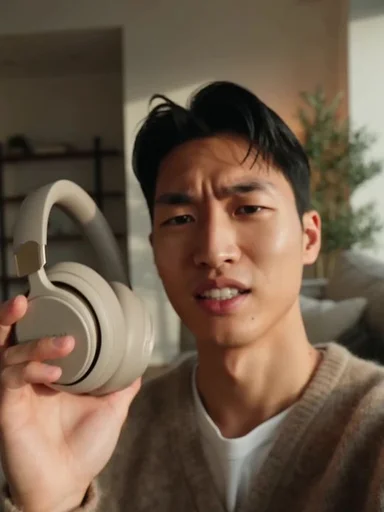
Photo2Ads / create