One product photo → image and video commercials

Create AI Commercials From One Product Photo

Image commercial or video commercial—both start with one product photo. Pick the format your campaign needs, preview real Photo2Ads results, and carry the direction into the focused studio.

  • One clear product photo
  • Image or video direction
  • Full-size review before publishing
Reviewed Photo2Ads workflow exampleProduct photo → image ad
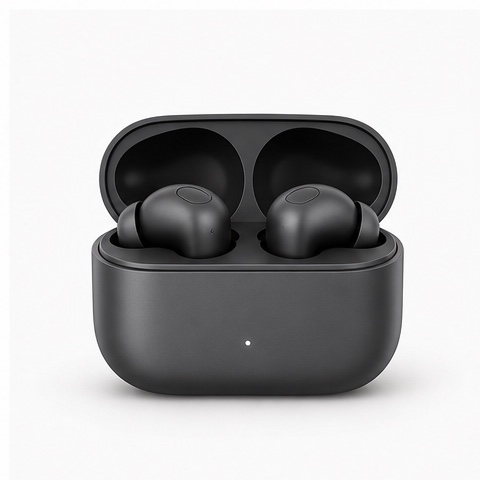
Source product photo of two black earbuds in an open matte charging case
Input · Product photo
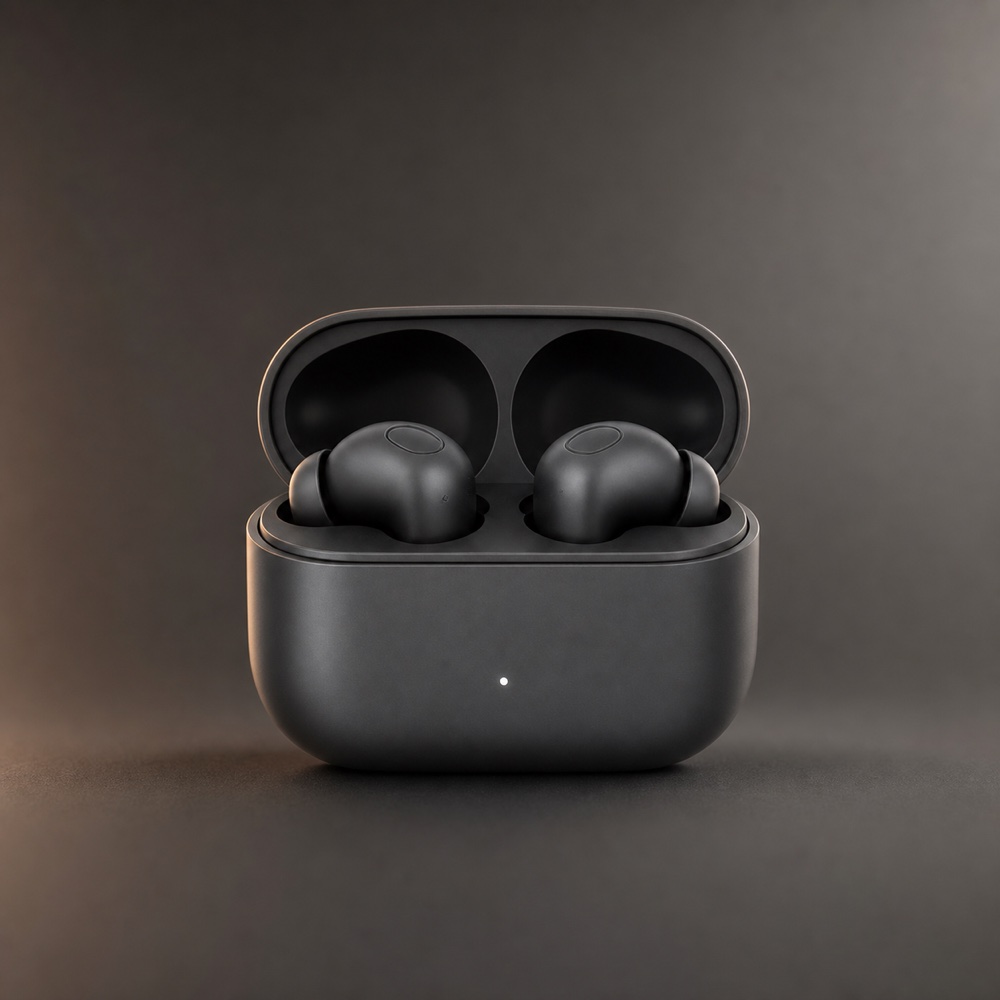
Matte black earbuds in an open charging case against a charcoal studio background
Result · Studio Shadow image
/ 01

A faster campaign starting point

Turn one useful product shot into more campaign options.

An AI commercial generator gives one product photo a faster path to polished campaign creative in both formats. Upload the product once, choose an image commercial or a short video commercial, and produce review-ready results with deliberate composition, motion, and copy space for ecommerce, paid social, launches, and brand storytelling.

/ 02

Reviewed source-to-result proof

Choose a direction after seeing the product and result together.

Each card is a reviewed Photo2Ads workflow example with its source product visible. The reusable direction enters Studio; your own product becomes the creative reference.

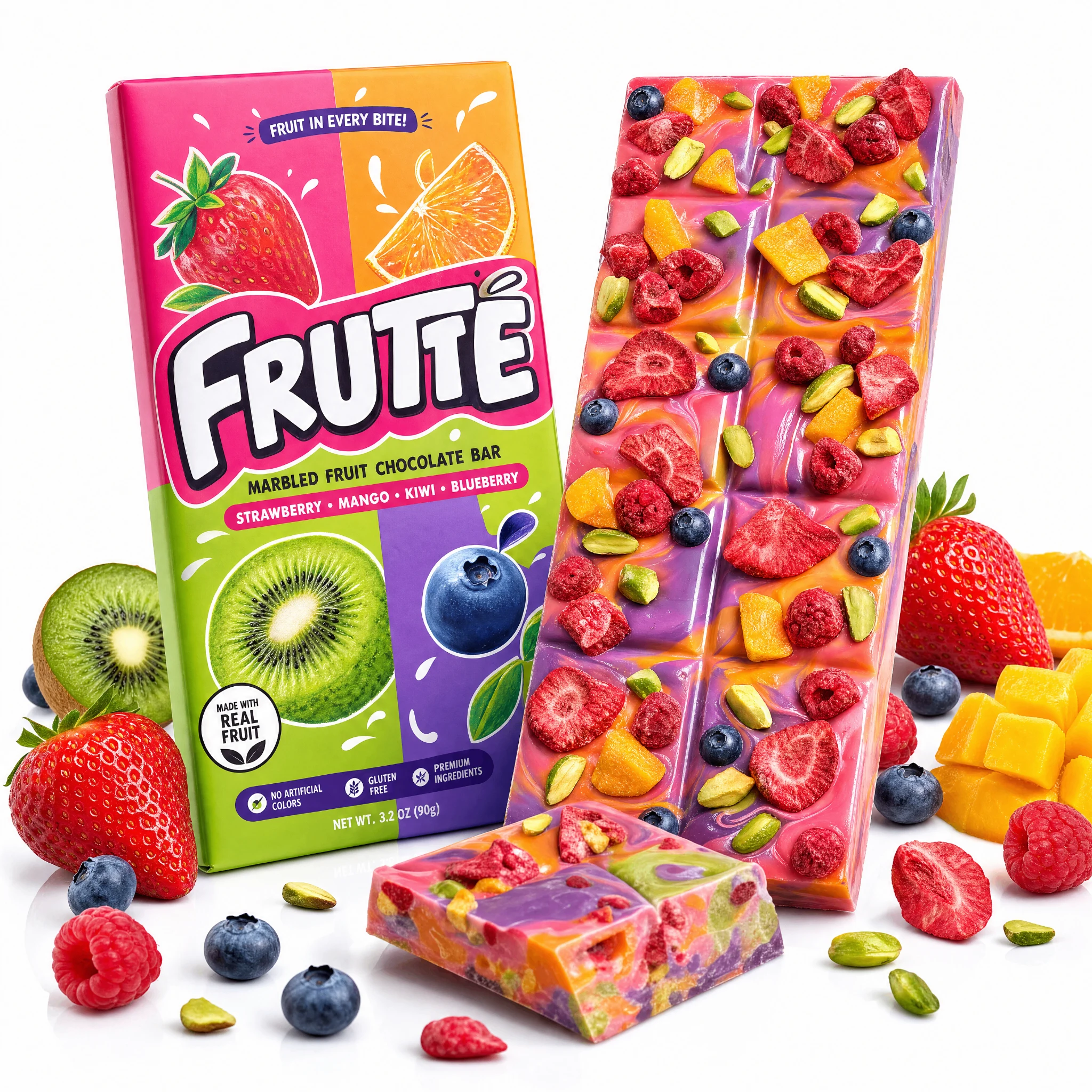
Frutte marbled fruit chocolate bar product photo input
Product input
Video commercial

Paid social · Launch hooks

Frutte Marbled Fruit Chocolate Bar · Hyper Motion

Reviewed Photo2Ads workflow example

Open a paid-social or launch campaign with high-energy product motion, then land on a clean hero frame viewers can read in one second.

Review focus: Check the closing frame, package legibility, and reserved copy space before scheduling the ad.

View the full workflow example
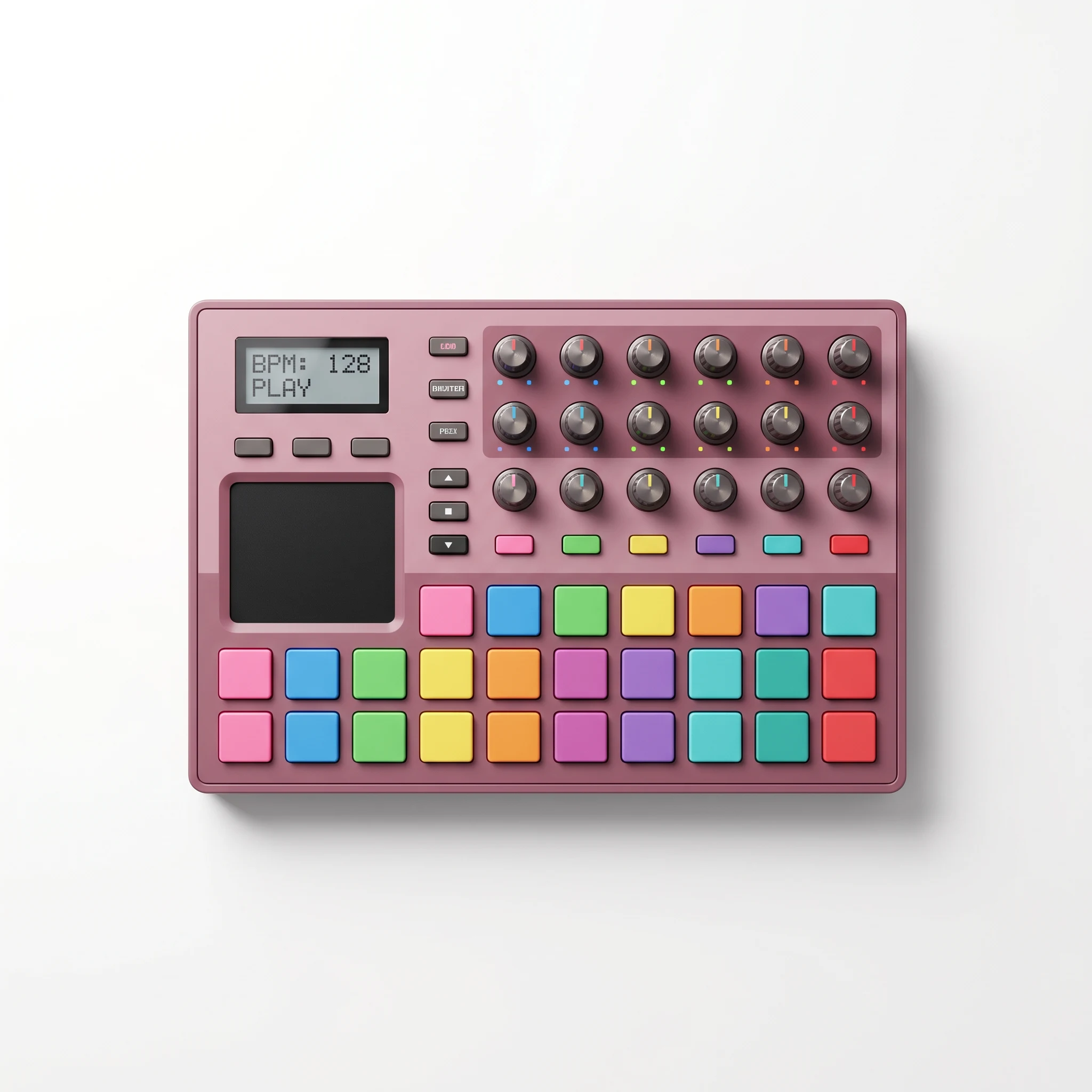
Beat Pad music controller product photo input
Product input
Video commercial

Paid social · Visual proof

Beat Pad Music Controller · Crush Test

Reviewed Photo2Ads workflow example

Turn a staged visual test into a scroll-stopping ad narrative: clear setup, believable contact, and a closing inspection beat.

Review focus: Keep performance claims out of the visual and pair the creative with separately verified product evidence.

View the full workflow example
Source product photo of two black earbuds in an open matte charging case
Product input
Matte black earbuds in an open charging case against a charcoal studio backgroundImage commercial

Ecommerce · Feed and product pages

Matte Black Earbuds · Studio Shadow

Reviewed Photo2Ads workflow example

A low-key static commercial with a charcoal sweep, soft key light, amber rim, and clean space for approved campaign copy.

Review focus: Inspect the case, earbud count, controls, and matte finish at full size, then add the approved campaign copy.

View the full workflow example

These reviewed Photo2Ads workflow examples demonstrate reusable creative paths. Results and campaign outcomes vary with the product references, direction, model, settings, and final review.

/ 03

Choose the commercial format

Use a still for instant clarity. Use motion to build a sequence.

Match the output to the message, placement, and review time available for the campaign.

Image commercial

Make the product clear in one decisive frame.

Choose a static commercial for product pages, feed ads, launch graphics, retargeting, and campaigns that need a fast visual read with controlled space for approved copy.

  • One composition to inspect closely
  • Flexible crops for ecommerce and social
  • Strong fit for packaging-led product stories

Video commercial

Build attention across motion, detail, and a closing frame.

Choose a short video commercial for demonstrations, paid-social hooks, launch reveals, and stories that benefit from pacing, camera movement, material detail, or a clear action.

  • Sequence the hook, product detail, and payoff
  • Show motion or a staged interaction
  • Adapt the direction to supported video formats
/ 04

Three direct steps

Go from product photo to reviewed commercial.

Keep the input, creative choice, generation settings, and review in one focused production path.

  1. Step 01

    Upload the product photo

    Start with a sharp, unobstructed view that makes the silhouette, materials, packaging, logo, and important text easy to inspect.

  2. Step 02

    Choose a commercial direction

    Select an image or video route, then refine the style, format, model, duration, resolution, and supported audio choices in Studio.

  3. Step 03

    Generate and review

    Compare the result with the source, revise the direction where details drift, and approve the final creative for its intended placement.

/ 05

Publish with confidence

Protect the product story through the final review.

A careful review turns a promising generation into usable campaign creative. Inspect the complete result at full size and align it with your approved product facts.

01

Keep the product recognizable

Compare shape, proportions, count, materials, color, accessories, and physical interactions with every supplied product view.

02

Review trademarks and packaging text

Zoom in on logos, labels, controls, claims, prices, certifications, and small package copy, then refine or replace any detail that needs correction.

03

Add synthetic-content disclosure

Apply the disclosure and labeling appropriate to the market, platform, placement, and way the commercial will be presented to viewers.

/ 06

Questions, answered

Plan the right commercial direction before you generate.

Can one product photo become both image and video commercials?+

Yes. Start with one clear product photo, choose an image or video direction, and refine the supported creative and output settings in Studio. Additional product views can strengthen details that are hidden in the first photo.

When should I choose an image commercial?+

Choose an image when the campaign needs an immediate product read, a controlled composition, close packaging review, or flexible still placements across ecommerce, paid social, launch graphics, and retargeting.

When should I choose a video commercial?+

Choose video when motion, pacing, a demonstration, a reveal, or a sequence of product details helps communicate the idea. Studio exposes the model-specific duration, format, resolution, and audio choices available for the direction.

What do the reviewed examples demonstrate?+

They show real Photo2Ads source-to-result workflows and reusable creative directions. Your product references, selected model, settings, revisions, and final review shape the result you create for your campaign.

How should I use the Beat Pad Crush Test example?+

Use it as a reference for staged visual storytelling: clear setup, controlled contact, evidence-style angles, and a closing product inspection. Support durability, certification, and performance statements with separately verified product evidence.

What information enters Studio from a case?+

Each action carries the selected media type and reusable style into Studio. Your own upload becomes the product reference, and the showcased product remains documentation for the reviewed example.

Your product is the next proof

Choose a direction and build the commercial in Studio.

Bring one clear product photo, select the image or video route that fits the campaign, and review every generated detail in the full Photo2Ads workspace.