

Reusable creative direction
Crush Test AI Product Video Ad Examples
Compare three Crush Test executions, then adapt their reusable visual directions to your product. Product and Avatar references document the original case but are not loaded into your studio.
Example 1 / Video ad
Crush Test
A dramatic durability or stress-test setup
Product
Not paired in this result
Avatar
Not paired in this result
Reusable visual direction
Use the uploaded product as the exact reference, preserving its shape, proportions, colors, materials, surface details, labels, and packaging in every frame. Keep people off screen except for protected natural hands positioning the uploaded product for a controlled non-destructive stress demonstration. Open with the product alone on a dark test platform; then hands withdraw and a padded press applies measured visible force; finally the pressure releases and the item is inspected from all sides. Use a locked low camera with a macro deformation insert and a slow side orbit. Use blue and amber industrial lighting in a black workshop-test scene with safety barriers out of focus. End on the product resting unchanged on the platform in a restrained hero payoff. Do not redesign the product, invent logos or text, add extra products, distort faces or hands, change reference identity, break physical continuity, introduce flicker or warping, or add captions and watermarks.
Best for
Studying the creative structure before adding your own product.
What to customize
Use your product and approved wording, then adjust the shot, action, and pacing for the duration you selected.
Example 2 / Video ad
Crush Test 2
A dramatic durability or stress-test setup
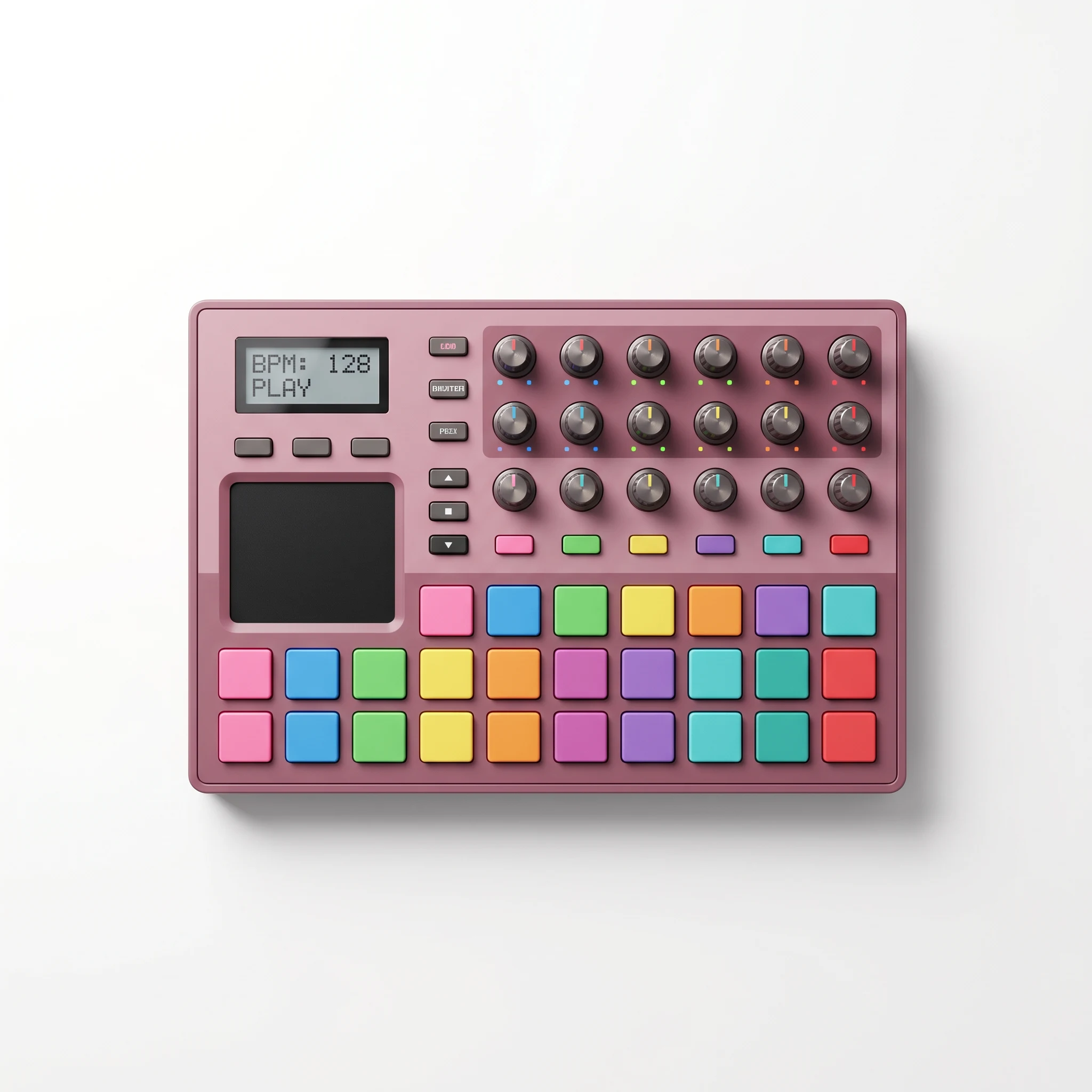
Product
Beat Pad Music Controller
Avatar
Not paired in this result
Reusable visual direction
Use the uploaded product as the exact reference, preserving its shape, proportions, colors, materials, surface details, labels, and packaging in every frame. The uploaded product remains alone inside a transparent safety enclosure, with no human contact after setup. Open with a wide view establishing the protected test chamber; then a soft weighted fixture descends for a brief controlled contact; finally the fixture lifts and the camera checks visible surfaces. Use a high-speed side camera paired with an overhead evidence shot and close inspection pass. Use bright neutral laboratory lighting in a clean materials-lab scene with minimal measurement marks. End on a clear post-test product hero frame without implying any unverified certification. Do not redesign the product, invent logos or text, add extra products, distort faces or hands, change reference identity, break physical continuity, introduce flicker or warping, or add captions and watermarks.
Best for
Understanding the structure with its bound Product reference.
What to customize
Use your product and approved wording, then adjust the shot, action, and pacing for the duration you selected.
Example 3 / Video ad
Crush Test 3
A dramatic durability or stress-test setup
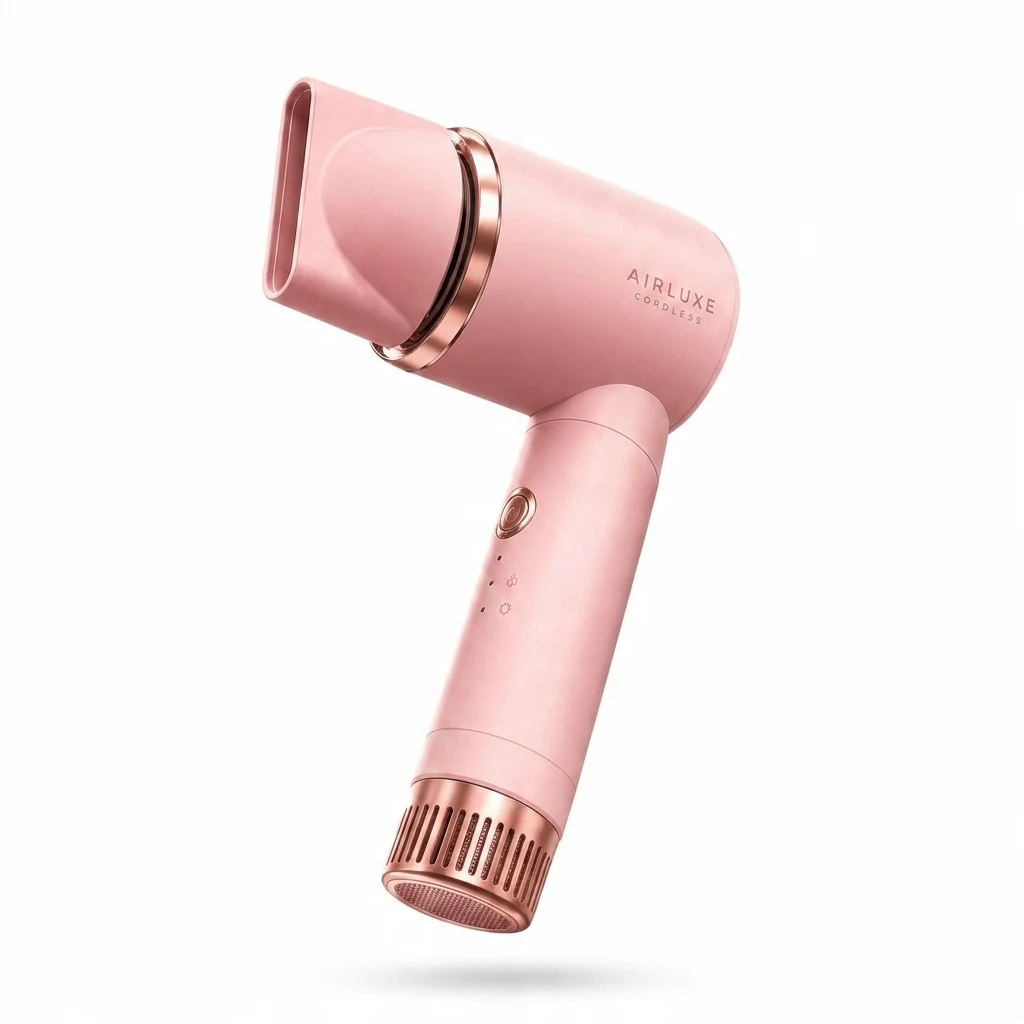
Product
Airluxe Pink Hair Dryer
Avatar
Not paired in this result
Reusable visual direction
Use the uploaded product as the exact reference, preserving its shape, proportions, colors, materials, surface details, labels, and packaging in every frame. Natural gloved hands place the uploaded product on a rugged surface, then leave it fully visible for the staged test. Open with a close texture study before any contact; then a lightweight foam block drops beside and gently against the item; finally hands return to rotate the product for comparison. Use a handheld documentary camera with a ground-level angle and a crisp slow-motion contact insert. Use hard directional daylight in an outdoor concrete-yard scene with a controlled empty perimeter. End on the inspected product upright against the rugged background in a grounded hero payoff. Do not redesign the product, invent logos or text, add extra products, distort faces or hands, change reference identity, break physical continuity, introduce flicker or warping, or add captions and watermarks.
Best for
Understanding the structure with its bound Product reference.
What to customize
Use your product and approved wording, then adjust the shot, action, and pacing for the duration you selected.
Photo2Ads workflow
From this case to your product
Choose one direction
Each preview demonstrates a distinct scene, camera, action, or pace.
Review the evidence
Source references explain the example without replacing your materials.
Generate and refine
Adapt the visual direction and Dialogue while keeping your current model and duration.
All examples
More directions to explore
Explore other canonical creative-style collections in the same category.
Photo2Ads / create