

Reusable creative direction
Mess to Fresh AI Product Video Ad Examples
Compare three Mess to Fresh executions, then adapt their reusable visual directions to your product. Product and Avatar references document the original case but are not loaded into your studio.
Example 1 / Video ad
Mess to Fresh
A clear before-to-after transformation
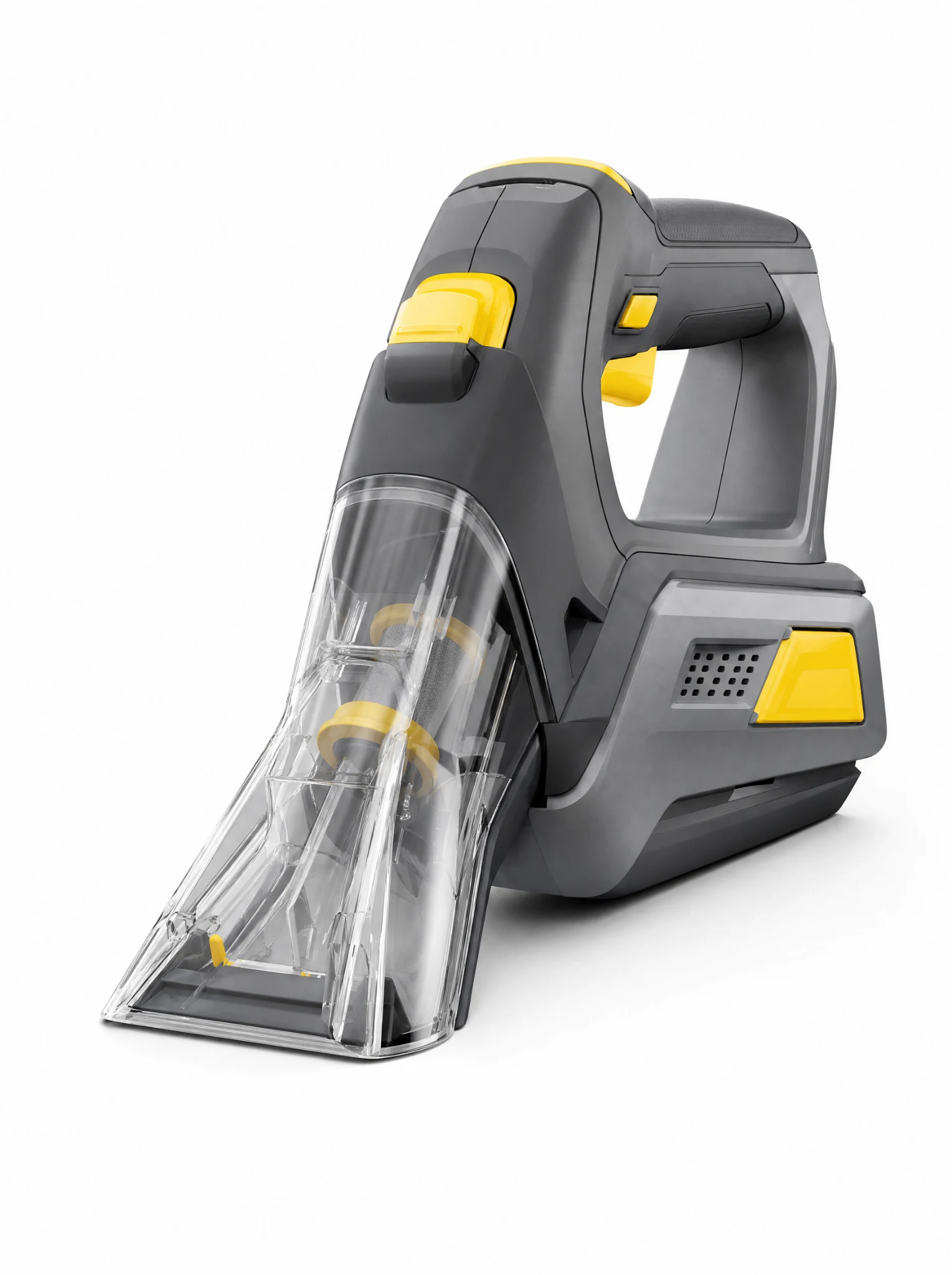
Product
Handheld Cordless Vacuum Cleaner
Avatar
Not paired in this result
Reusable visual direction
Use the uploaded product as the exact reference, preserving its shape, proportions, colors, materials, surface details, labels, and packaging in every frame. Only natural hands operate the uploaded product on a visibly messy surface while keeping the item itself exact and cleanly readable. Open with a wide before view of scattered dry debris; then hands move the product through one deliberate cleaning pass; finally the camera reveals a sharp clean path beside the untouched area. Use a low countertop camera with a close tracking pass and an overhead comparison insert. Use bright kitchen window lighting in a realistic counter-cleaning scene with controlled removable debris. End on the clean surface and upright product together in a clear before-to-after hero payoff. Do not redesign the product, invent logos or text, add extra products, distort faces or hands, change reference identity, break physical continuity, introduce flicker or warping, or add captions and watermarks.
Best for
Understanding the structure with its bound Product reference.
What to customize
Use your product and approved wording, then adjust the shot, action, and pacing for the duration you selected.
Example 2 / Video ad
Mess to Fresh 2
A clear before-to-after transformation
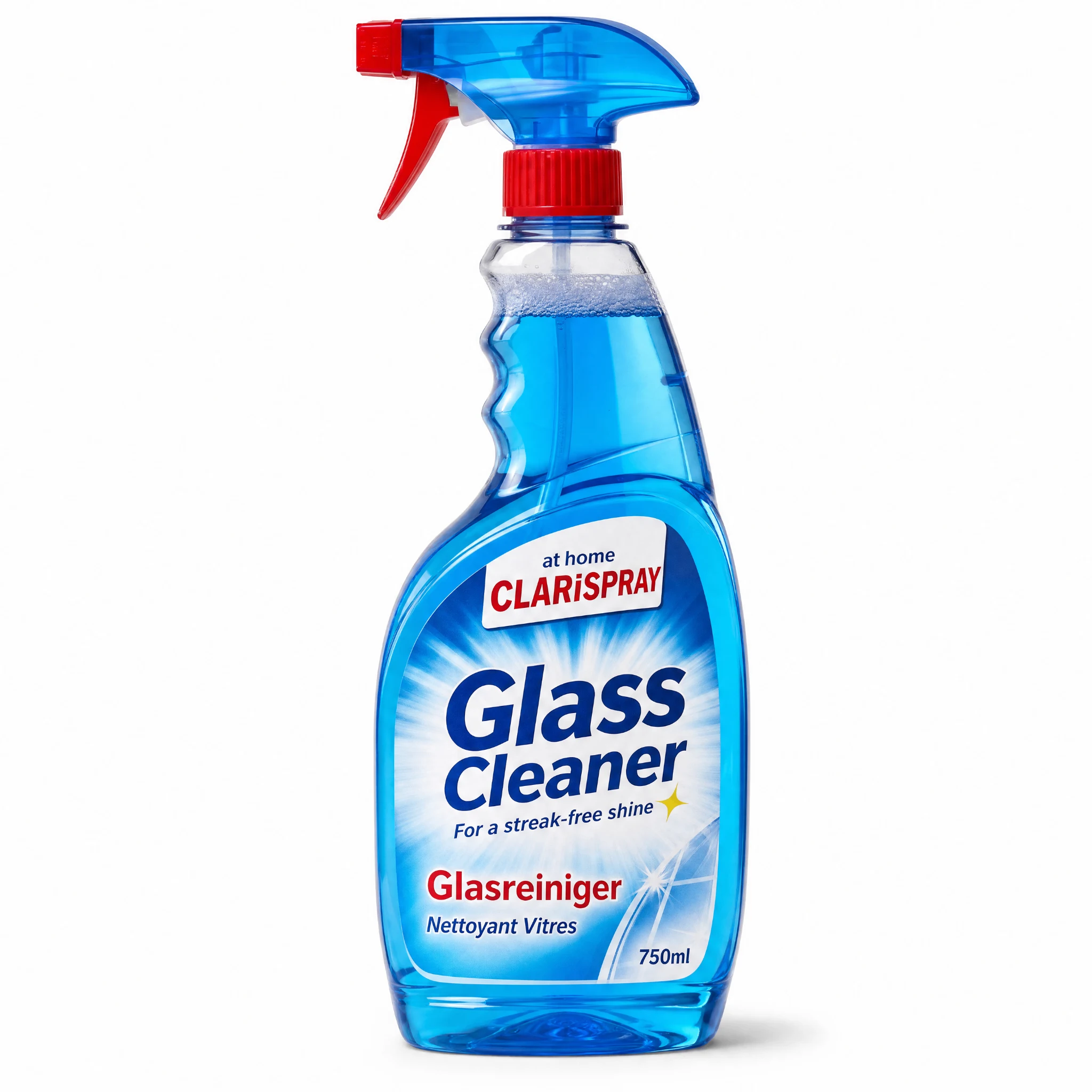
Product
Clarispray Glass Cleaner
Avatar
Not paired in this result
Reusable visual direction
Use the uploaded product as the exact reference, preserving its shape, proportions, colors, materials, surface details, labels, and packaging in every frame. A person uses the uploaded product with realistic hands on a marked test section, never obscuring labels or altering its form. Open with a close before view of smudges on a glass panel; then the person applies the product in an even sequence and clears one half; finally the panel angle shifts to make the comparison visible. Use a side-on camera with macro surface focus, a smooth wipe-follow move, and a wide comparison shot. Use strong diffused daylight in a bright window-cleaning scene with a neutral room softly behind. End on the transparent clean section framing the product in a bright hero payoff. Do not redesign the product, invent logos or text, add extra products, distort faces or hands, change reference identity, break physical continuity, introduce flicker or warping, or add captions and watermarks.
Best for
Understanding the structure with its bound Product reference.
What to customize
Use your product and approved wording, then adjust the shot, action, and pacing for the duration you selected.
Example 3 / Video ad
Mess to Fresh 3
A clear before-to-after transformation
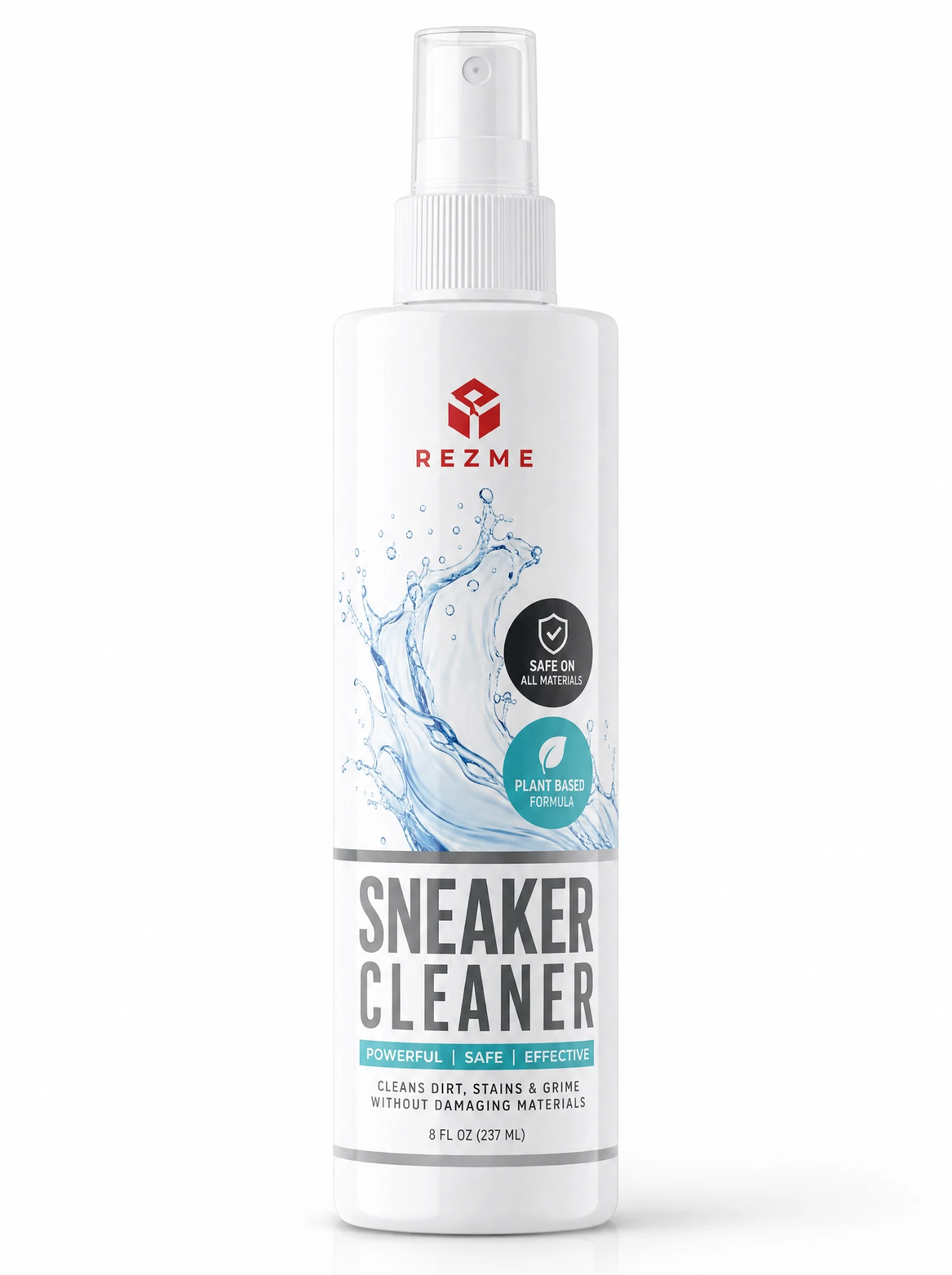
Product
Rezme Sneaker Cleaner Spray
Avatar
Not paired in this result
Reusable visual direction
Use the uploaded product as the exact reference, preserving its shape, proportions, colors, materials, surface details, labels, and packaging in every frame. Gloved natural hands demonstrate the uploaded product on a single dirty item while maintaining exact reference proportions and details. Open with a rotating before inspection on a work mat; then hands apply and work the product across one controlled section; finally the cleaned item turns beside the untreated comparison area. Use a top-down tutorial camera with a macro application insert and slow final orbit. Use neutral workshop softbox lighting in an organized utility-table scene with only necessary tools. End on the visible fresh result beside the uploaded product in a centered hero composition. Do not redesign the product, invent logos or text, add extra products, distort faces or hands, change reference identity, break physical continuity, introduce flicker or warping, or add captions and watermarks.
Best for
Understanding the structure with its bound Product reference.
What to customize
Use your product and approved wording, then adjust the shot, action, and pacing for the duration you selected.
Photo2Ads workflow
From this case to your product
Choose one direction
Each preview demonstrates a distinct scene, camera, action, or pace.
Review the evidence
Source references explain the example without replacing your materials.
Generate and refine
Adapt the visual direction and Dialogue while keeping your current model and duration.
All examples
More directions to explore
Explore other canonical creative-style collections in the same category.
Photo2Ads / create