

Vertical feed hook
Lead with motion and reveal the product fast.
Use a compact product-led sequence with an immediate visual change, one memorable action, and a clear closing product frame.
One product photo → short vertical video
Turn one product photo into short vertical motion built to earn attention quickly. Start with a saturated product reveal, compare a native front-camera reaction, then carry the right hook into Studio for a TikTok-ready creative pass.
Two TikTok directions
Match the first seconds to the campaign idea, then keep the product readable through the motion and closing frame.
A faster vertical starting point
An AI TikTok ad generator turns one product photo into short vertical video directions built for fast mobile viewing. Choose an energetic product hook or creator-led UGC angle, refine the supported motion and format settings, review the product details, then export the finished creative and complete campaign setup in TikTok Ads Manager.
Vertical feed hook
Use a compact product-led sequence with an immediate visual change, one memorable action, and a clear closing product frame.
Creator-style UGC
Use product and optional permitted person references for testimonial, review, or unboxing-style motion with a natural mobile-camera feel.
Two TikTok-native previews
Each card pairs the visible source inputs with a platform-specific creative preview and a reusable direction for Studio.
Vertical feed hook · Fast product-led opening
Platform-style creative preview
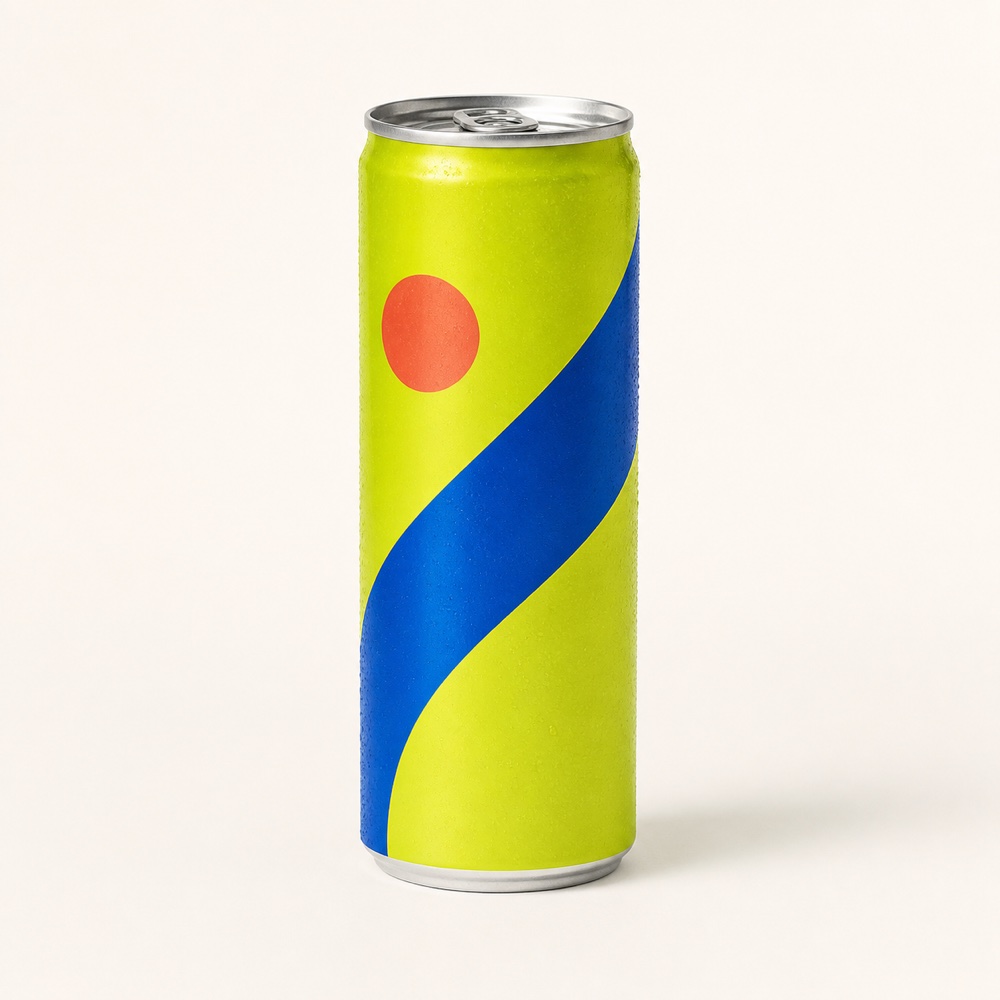
Open on saturated color, freeze the can inside one bold splash-and-ribbon idea, and keep the product large enough to read instantly on a phone.
Review focus: Check the opening crop, motion continuity, can silhouette, cobalt wave, coral marker, and safe space for approved campaign copy.
Explore the related workflow
Creator-style UGC · Conversational creator-led motion
Platform-style creative preview
Pair the product with an optional permitted person reference for a close front-camera reaction that feels spontaneous while keeping the can clearly visible.
Review focus: Confirm product and person continuity, five-finger grip, natural contact, visible claims, audio, and synthetic-content labeling.
Explore the related workflowThese art-directed previews help plan creative direction; they are not model benchmarks. Your references, selected model, settings, revisions, audio, and final review shape the finished TikTok asset.
Three direct steps
Keep the input, hook choice, generation settings, and publishing review in one focused production path.
Step 01
Choose a clear product view with readable shape, materials, packaging, branding, controls, and important text. Add a permitted person reference for creator-style UGC.
Step 02
Select Hyper Motion or creator-style UGC, then refine the supported model, aspect ratio, duration, resolution, and audio settings in Studio.
Step 03
Review the hook, product continuity, claims, branding, disclosure, and closing frame, then export the approved video for campaign setup in TikTok Ads Manager.
Questions, answered
A useful direction establishes the product early, develops one clear visual idea, and closes on a readable product frame. Short pacing, vertical composition, and focused motion help the creative communicate quickly.
Choose one recognizable change in the first beat, such as camera movement, material detail, a reveal, or a product interaction. Keep the motion connected to the product and carry the idea into a clean closing frame.
Choose creator-style UGC when a review, testimonial, demonstration, or unboxing context helps explain the product. Add an optional permitted person reference and review identity, contact, product fidelity, claims, and disclosure.
The action carries the selected video media type, reusable style, and UGC workflow when applicable. Your own uploads supply the product and optional person references for the new creative.
Export the approved video and complete campaign setup in TikTok Ads Manager. Choose the objective, audience, budget, placement, caption, destination, disclosure, and review settings in the platform workflow.
Continue planning
Your vertical direction is ready
Choose Hyper Motion or creator-style UGC, review the generated product details, and export the approved vertical video for TikTok campaign setup.