

Reusable creative direction
TV Spot AI Product Video Ad Examples
Compare three TV Spot executions, then adapt their reusable visual directions to your product. Product and Avatar references document the original case but are not loaded into your studio.
Example 1 / Video ad
TV Spot
A cinematic, story-first brand advertisement
Product
Not paired in this result
Avatar
Not paired in this result
Reusable visual direction
Use the uploaded product as the exact reference, preserving its shape, proportions, colors, materials, surface details, labels, and packaging in every frame. A lifestyle model carries and uses the uploaded product with natural hands while any supplied avatar identity remains consistent. Open with a wide sunlit arrival near the coast; then the model moves through two elegant everyday moments with the product; finally they pause and turn the item toward the horizon. Use a cinematic widescreen-style camera with a flowing tracking move, close texture insert, and slow crane reveal. Use golden-hour sunlight in a breezy coastal-terrace scene with restrained Mediterranean architecture. End on the product and model silhouetted softly before a clean standalone hero payoff. Do not redesign the product, invent logos or text, add extra products, distort faces or hands, change reference identity, break physical continuity, introduce flicker or warping, or add captions and watermarks.
Best for
Studying the creative structure before adding your own product.
What to customize
Use your product and approved wording, then adjust the shot, action, and pacing for the duration you selected.
Example 2 / Video ad
TV Spot 2
A cinematic, story-first brand advertisement
Product
Not paired in this result
Avatar
Not paired in this result
Reusable visual direction
Use the uploaded product as the exact reference, preserving its shape, proportions, colors, materials, surface details, labels, and packaging in every frame. A diverse group passes the uploaded product naturally between people, preserving exact appearance and realistic hands in every cut. Open with a rhythmic entrance into a modern city space; then three quick lifestyle uses connect through match cuts; finally the group gathers as the product returns to center. Use a polished commercial camera with lateral tracking, whip transitions, and one macro orbit. Use saturated twilight city lighting in a contemporary urban-plaza scene with abstract colored reflections. End on the group forming a graphic tableau around a brightly lit product hero frame. Do not redesign the product, invent logos or text, add extra products, distort faces or hands, change reference identity, break physical continuity, introduce flicker or warping, or add captions and watermarks.
Best for
Studying the creative structure before adding your own product.
What to customize
Use your product and approved wording, then adjust the shot, action, and pacing for the duration you selected.
Example 3 / Video ad
TV Spot 3
A cinematic, story-first brand advertisement
Product
Not paired in this result
Avatar
Not paired in this result
Reusable visual direction
Use the uploaded product as the exact reference, preserving its shape, proportions, colors, materials, surface details, labels, and packaging in every frame. Keep people secondary as natural hands introduce the uploaded product into a mixed-media sequence with exact reference details. Open with a clean live-action product placement on a colored surface; then paper textures and drawn shapes animate around it through three rhythmic tableaux; finally all graphic layers peel away. Use a top-down commercial camera alternating with a frontal studio shot and punchy stop-motion cuts. Use bright high-key editorial lighting in a playful mixed-media studio scene with bold but unbranded color fields. End on the real product alone against one simple graphic shape in a memorable hero payoff. Do not redesign the product, invent logos or text, add extra products, distort faces or hands, change reference identity, break physical continuity, introduce flicker or warping, or add captions and watermarks.
Best for
Studying the creative structure before adding your own product.
What to customize
Use your product and approved wording, then adjust the shot, action, and pacing for the duration you selected.
Photo2Ads workflow
From this case to your product
Choose one direction
Each preview demonstrates a distinct scene, camera, action, or pace.
Review the evidence
Source references explain the example without replacing your materials.
Generate and refine
Adapt the visual direction and Dialogue while keeping your current model and duration.
All examples
More directions to explore
Explore other canonical creative-style collections in the same category.
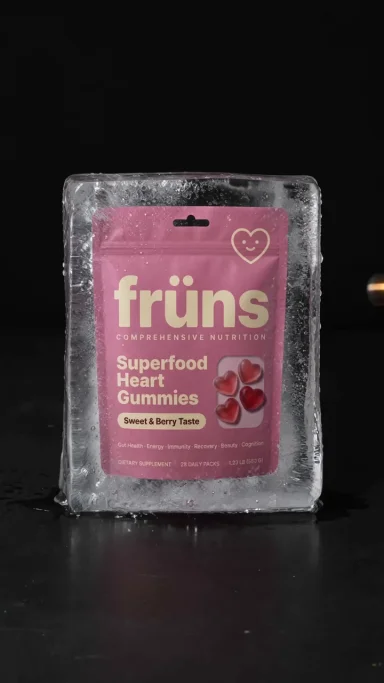
Photo2Ads / create