

Reusable creative direction
Wild Card AI Product Video Ad Examples
Compare three Wild Card executions, then adapt their reusable visual directions to your product. Product and Avatar references document the original case but are not loaded into your studio.
Example 1 / Video ad
Wild Card
An unexpected concept for custom campaign ideas
Product
Not paired in this result
Avatar
Not paired in this result
Reusable visual direction
Use the uploaded product as the exact reference, preserving its shape, proportions, colors, materials, surface details, labels, and packaging in every frame. A live-action creator holds the uploaded product with natural hands while an energetic illustrated world forms around the exact reference. Open with a dramatic close stare and product reveal; then graphic speed lines and playful drawn effects follow the creator through one exaggerated action move; finally they land in a stable presentation pose. Use a punchy action camera with a fast crash zoom, low tracking pass, and freeze-frame close-up. Use bright comic-inspired lighting with a controlled rim in a colorful hybrid studio scene with abstract illustrated scenery. End on the creator and product locked in a bold poster-like hero payoff without generated copy. Do not redesign the product, invent logos or text, add extra products, distort faces or hands, change reference identity, break physical continuity, introduce flicker or warping, or add captions and watermarks.
Best for
Studying the creative structure before adding your own product.
What to customize
Use your product and approved wording, then adjust the shot, action, and pacing for the duration you selected.
Example 2 / Video ad
Wild Card 2
An unexpected concept for custom campaign ideas
Product
Not paired in this result
Avatar
Not paired in this result
Reusable visual direction
Use the uploaded product as the exact reference, preserving its shape, proportions, colors, materials, surface details, labels, and packaging in every frame. Keep people off screen and let the uploaded product remain physically exact while surreal forms interact around it. Open with the product alone on an ordinary pedestal; then the surface stretches into a dreamlike landscape and soft translucent shapes orbit the item; finally the landscape folds back into the original pedestal. Use a premium virtual camera with a slow macro entry, impossible but smooth orbit, and symmetrical pullback. Use luminous pastel studio lighting in a surreal gallery scene with fluid geometry and spacious background. End on the unchanged product resting alone in a serene unexpected hero payoff. Do not redesign the product, invent logos or text, add extra products, distort faces or hands, change reference identity, break physical continuity, introduce flicker or warping, or add captions and watermarks.
Best for
Studying the creative structure before adding your own product.
What to customize
Use your product and approved wording, then adjust the shot, action, and pacing for the duration you selected.
Example 3 / Video ad
Wild Card 3
An unexpected concept for custom campaign ideas
Product
Not paired in this result
Avatar
Not paired in this result
Reusable visual direction
Use the uploaded product as the exact reference, preserving its shape, proportions, colors, materials, surface details, labels, and packaging in every frame. A deadpan creator and natural hands interact with the uploaded product, keeping both avatar identity and product reference completely grounded. Open with an ordinary home moment framed with suspicious seriousness; then a harmless oversized practical prop enters and triggers a comic misunderstanding around the product; finally the creator calmly restores the item to center. Use a realistic locked comedy camera with one reaction close-up and a slow awkward push toward the product. Use warm cozy household lighting in a grounded living-room scene with simple furniture and no cartoon styling. End on the creator staring at lens beside the untouched product in a dry comedic hero payoff. Do not redesign the product, invent logos or text, add extra products, distort faces or hands, change reference identity, break physical continuity, introduce flicker or warping, or add captions and watermarks.
Best for
Studying the creative structure before adding your own product.
What to customize
Use your product and approved wording, then adjust the shot, action, and pacing for the duration you selected.
Photo2Ads workflow
From this case to your product
Choose one direction
Each preview demonstrates a distinct scene, camera, action, or pace.
Review the evidence
Source references explain the example without replacing your materials.
Generate and refine
Adapt the visual direction and Dialogue while keeping your current model and duration.
All examples
More directions to explore
Explore other canonical creative-style collections in the same category.
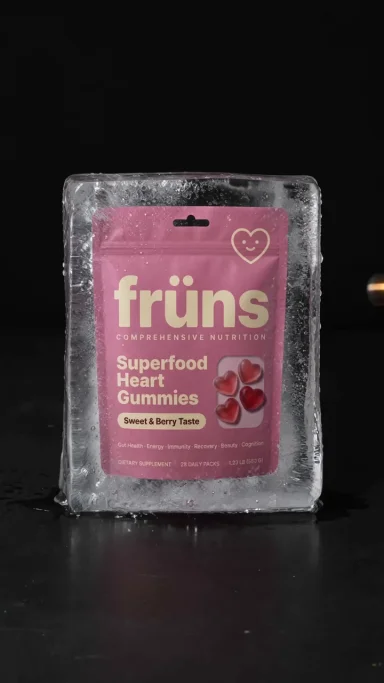

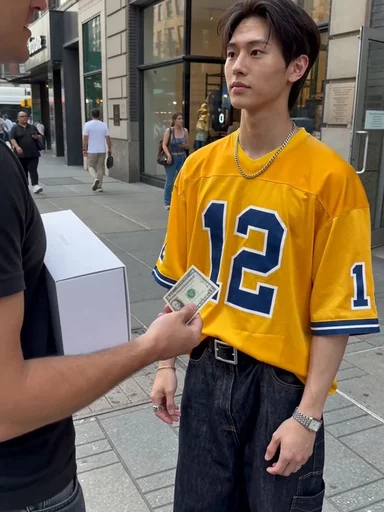
Photo2Ads / create