

Reusable creative direction
Tutorial AI Product Video Ad Examples
Compare three Tutorial executions, then adapt their reusable visual directions to your product. Product and Avatar references document the original case but are not loaded into your studio.
Example 1 / Video ad
Tutorial
A clear step-by-step demonstration
Product
Not paired in this result
Avatar
Not paired in this result
Reusable visual direction
Use the uploaded product as the exact reference, preserving its shape, proportions, colors, materials, surface details, labels, and packaging in every frame. A creator demonstrates the uploaded product with natural hands while preserving any supplied avatar identity and keeping each step visible. Open with a direct-to-camera overview with the product held beside the face; then the creator performs three clear ordered use steps at a measured pace; finally they point to the visible final placement or result. Use a stable eye-level phone camera with labeled-by-action close-ups but no generated text overlays. Use soft frontal window lighting in a clean vanity or work-surface scene with only necessary tools. End on the creator holding the product beside the completed demonstration in a clear hero payoff. Do not redesign the product, invent logos or text, add extra products, distort faces or hands, change reference identity, break physical continuity, introduce flicker or warping, or add captions and watermarks.
Optional Dialogue template
Use [PRODUCT] this way for [APPROVED_BENEFIT]. [CTA]
Best for
Studying the creative structure before adding your own product.
What to customize
Use your product and approved wording, then adjust the shot, action, and pacing for the duration you selected.
Example 2 / Video ad
Tutorial 2
A clear step-by-step demonstration
Product
Not paired in this result
Avatar
Not paired in this result
Reusable visual direction
Use the uploaded product as the exact reference, preserving its shape, proportions, colors, materials, surface details, labels, and packaging in every frame. Only natural hands enter the tutorial frame, keeping the uploaded product exact and unobstructed throughout the process. Open with all required items arranged around the product from above; then hands demonstrate the preparation, main action, and finishing step in order; finally the setup resets to show the completed state. Use a locked top-down tutorial camera with macro inserts and smooth hand-follow reframing. Use bright diffused softbox lighting in an organized tabletop scene on a neutral matte surface. End on the product centered beside the finished outcome in a precise overhead hero composition. Do not redesign the product, invent logos or text, add extra products, distort faces or hands, change reference identity, break physical continuity, introduce flicker or warping, or add captions and watermarks.
Optional Dialogue template
Step by step with [PRODUCT] for [APPROVED_BENEFIT]. [CTA]
Best for
Studying the creative structure before adding your own product.
What to customize
Use your product and approved wording, then adjust the shot, action, and pacing for the duration you selected.
Example 3 / Video ad
Tutorial 3
A clear step-by-step demonstration
Product
Not paired in this result
Avatar
Not paired in this result
Reusable visual direction
Use the uploaded product as the exact reference, preserving its shape, proportions, colors, materials, surface details, labels, and packaging in every frame. A side-profile creator uses the uploaded product naturally, with realistic hands and a consistent avatar reference across the lesson. Open with a quick problem-or-goal setup in the mirror; then the creator demonstrates the technique slowly from the side and repeats the key motion once; finally they turn to show the final view. Use a tripod side camera with a reflected secondary angle and one tight technique close-up. Use balanced vanity lighting with a soft rim in an uncluttered dressing or practice-room scene with a large mirror. End on the creator and reflection framing the product in a polished tutorial hero payoff. Do not redesign the product, invent logos or text, add extra products, distort faces or hands, change reference identity, break physical continuity, introduce flicker or warping, or add captions and watermarks.
Optional Dialogue template
Here is my method with [PRODUCT] for [APPROVED_BENEFIT]. [CTA]
Best for
Studying the creative structure before adding your own product.
What to customize
Use your product and approved wording, then adjust the shot, action, and pacing for the duration you selected.
Photo2Ads workflow
From this case to your product
Choose one direction
Each preview demonstrates a distinct scene, camera, action, or pace.
Review the evidence
Source references explain the example without replacing your materials.
Generate and refine
Adapt the visual direction and Dialogue while keeping your current model and duration.
All examples
More directions to explore
Explore other canonical creative-style collections in the same category.
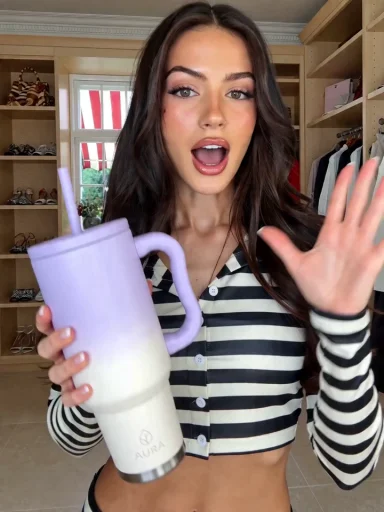
Photo2Ads / create