

Reusable creative direction
Unboxing Virtual Try-On AI Product Video Ad Examples
Compare three Unboxing Virtual Try-On executions, then adapt their reusable visual directions to your product. Product and Avatar references document the original case but are not loaded into your studio.
Example 1 / Video ad
Unboxing Virtual Try-On
Open the package and show the product in use
Product
Not paired in this result
Avatar
Not paired in this result
Reusable visual direction
Use the uploaded product as the exact reference, preserving its shape, proportions, colors, materials, surface details, labels, and packaging in every frame. A creator opens the package with natural hands, then wears or holds the uploaded product while preserving any supplied avatar identity. Open with a bedroom-floor unboxing with the sealed package close to camera; then the creator reveals the product and uses a snap transition into the try-on; finally they check the fit or placement in a mirror. Use a casual handheld camera alternating between close package details and a full-body mirror view. Use gentle late-morning window lighting in a tidy bedroom scene with neutral textiles and one standing mirror. End on a confident mirror pose followed by a clean product-detail hero payoff. Do not redesign the product, invent logos or text, add extra products, distort faces or hands, change reference identity, break physical continuity, introduce flicker or warping, or add captions and watermarks.
Optional Dialogue template
I just opened [PRODUCT], and it supports [APPROVED_BENEFIT]. [CTA]
Best for
Studying the creative structure before adding your own product.
What to customize
Use your product and approved wording, then adjust the shot, action, and pacing for the duration you selected.
Example 2 / Video ad
Unboxing Virtual Try-On 2
Open the package and show the product in use
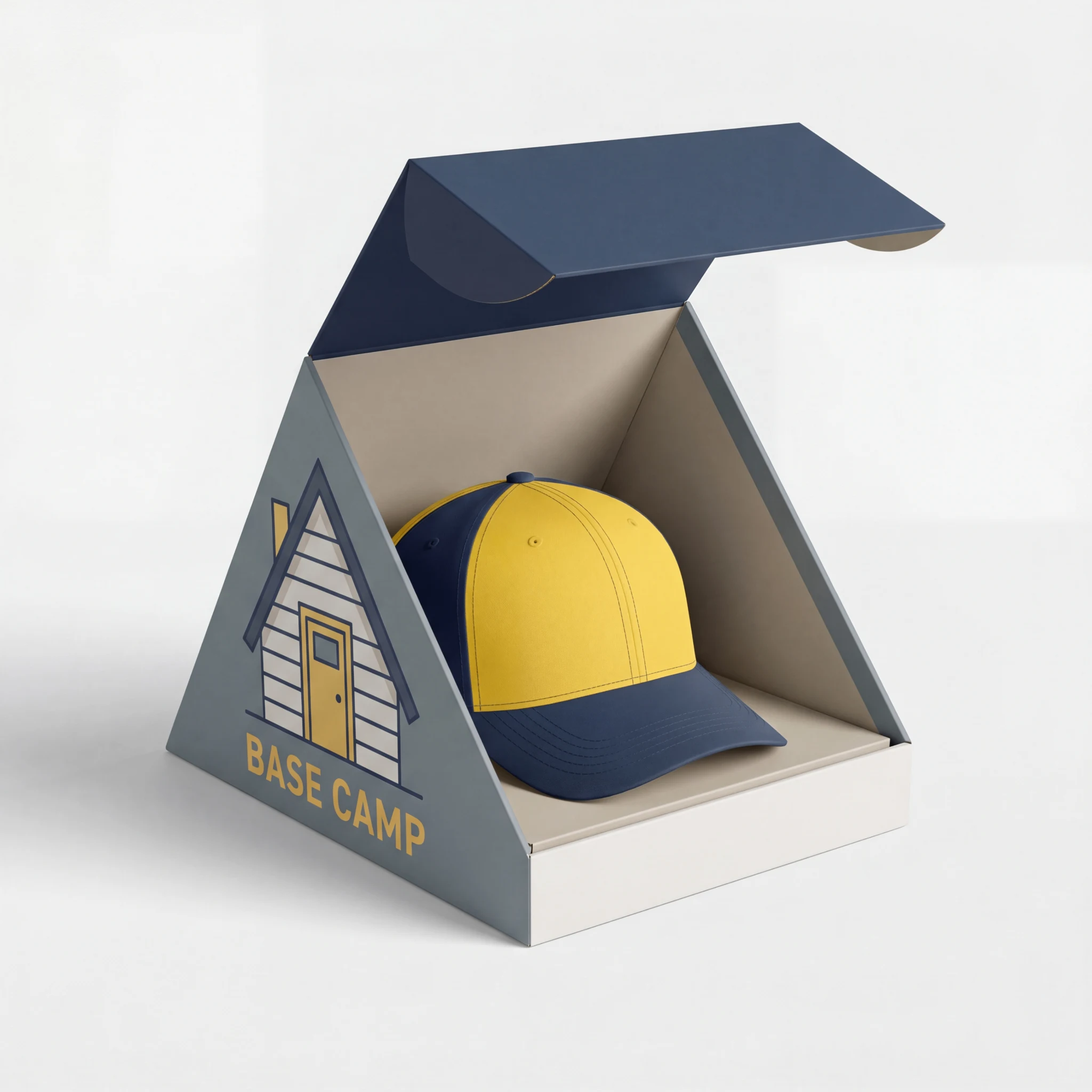
Product
Base Camp Baseball Cap
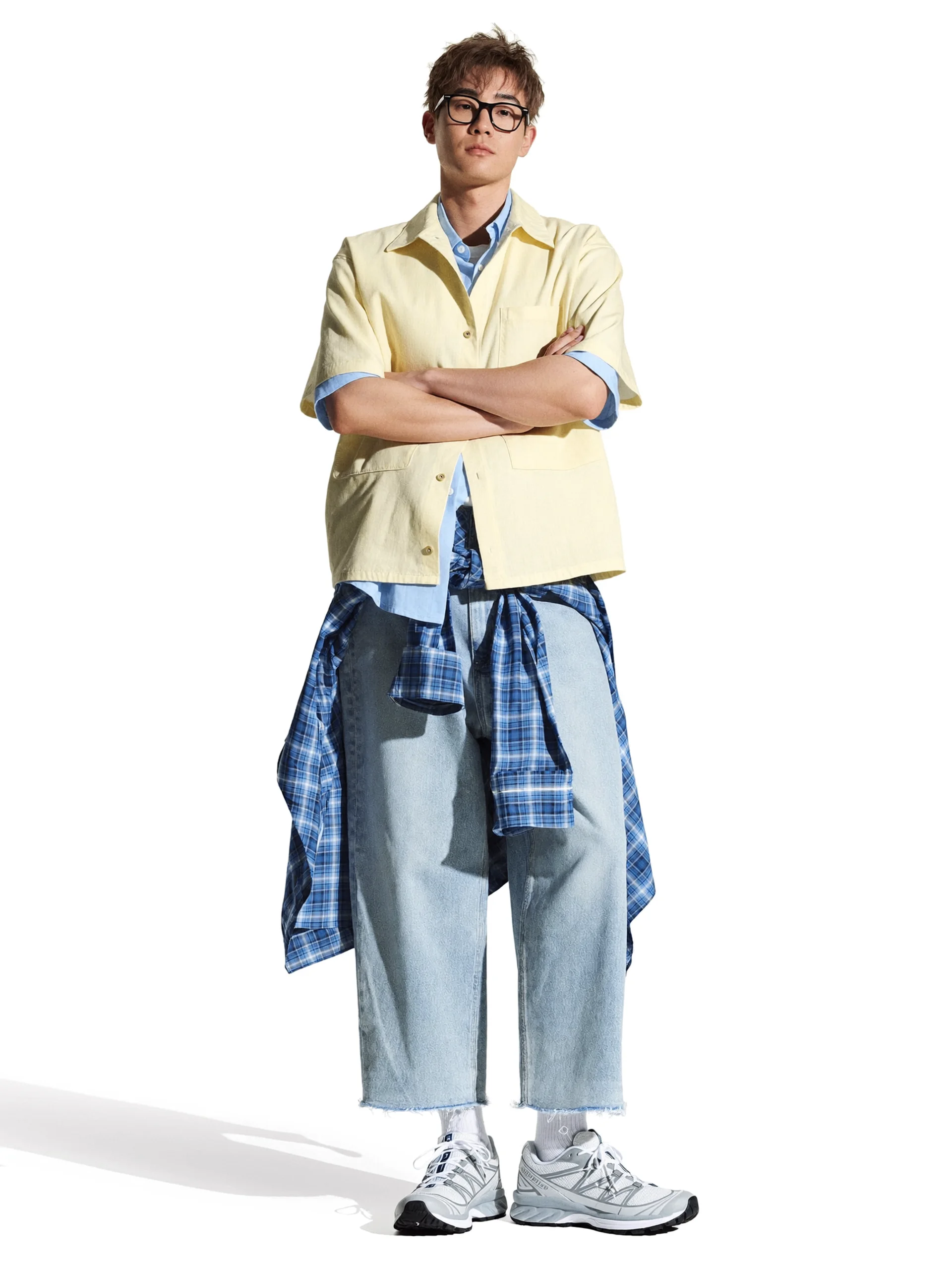
Avatar
Unboxing Virtual Try-On avatar
Reusable visual direction
Use the uploaded product as the exact reference, preserving its shape, proportions, colors, materials, surface details, labels, and packaging in every frame. A creator keeps the product unobstructed during unboxing and try-on, with realistic hands and consistent avatar appearance. Open with an overhead view of the package on a bench; then hands remove each layer before a side-angle match cut shows the product in use; finally the creator turns once to reveal the silhouette and key details. Use a stable top-down camera that transitions to a waist-height tracking shot. Use bright diffused locker-room lighting in a modern changing-area scene with simple benches and pale walls. End on a three-quarter creator pose and a sharp hero close-up of the worn product. Do not redesign the product, invent logos or text, add extra products, distort faces or hands, change reference identity, break physical continuity, introduce flicker or warping, or add captions and watermarks.
Optional Dialogue template
Trying [PRODUCT] now for [APPROVED_BENEFIT]. [CTA]
Best for
Understanding the structure with its bound Product and Avatar references.
What to customize
Use your product and approved wording, then adjust the shot, action, and pacing for the duration you selected.
Example 3 / Video ad
Unboxing Virtual Try-On 3
Open the package and show the product in use
Product
Not paired in this result
Avatar
Not paired in this result
Reusable visual direction
Use the uploaded product as the exact reference, preserving its shape, proportions, colors, materials, surface details, labels, and packaging in every frame. A friend films the creator opening and trying the uploaded product, preserving natural anatomy and the supplied person reference. Open with the package handed into frame across a boutique fitting area; then the creator unwraps it and appears in the try-on through a wipe transition; finally they walk toward camera and show one functional movement. Use a friend-perspective vertical camera with lively reframing and a brief low-angle walk-up. Use warm retail accent lighting softened by frontal fill in a refined fitting-room scene with curtains and uncluttered mirrors. End on the creator stopping close to lens for a product-forward hero payoff. Do not redesign the product, invent logos or text, add extra products, distort faces or hands, change reference identity, break physical continuity, introduce flicker or warping, or add captions and watermarks.
Optional Dialogue template
Here is my first look at [PRODUCT] for [APPROVED_BENEFIT]. [CTA]
Best for
Studying the creative structure before adding your own product.
What to customize
Use your product and approved wording, then adjust the shot, action, and pacing for the duration you selected.
Photo2Ads workflow
From this case to your product
Choose one direction
Each preview demonstrates a distinct scene, camera, action, or pace.
Review the evidence
Source references explain the example without replacing your materials.
Generate and refine
Adapt the visual direction and Dialogue while keeping your current model and duration.
All examples
More directions to explore
Explore other canonical creative-style collections in the same category.
Photo2Ads / create