

Reusable creative direction
UGC Virtual Try On AI Product Video Ad Examples
Compare three UGC Virtual Try On executions, then adapt their reusable visual directions to your product. Product and Avatar references document the original case but are not loaded into your studio.
Example 1 / Video ad
UGC Virtual Try On
A casual try-before-you-buy composition
Product
Not paired in this result
Avatar
Not paired in this result
Reusable visual direction
Use the uploaded product as the exact reference, preserving its shape, proportions, colors, materials, surface details, labels, and packaging in every frame. A creator tries on the uploaded wearable product with natural hands, preserving their supplied avatar identity and body proportions. Open with a mirror selfie showing the product before wear; then a hand-cover transition reveals it correctly worn and adjusted; finally the creator turns through front, side, and back views. Use a handheld vertical mirror camera with gentle movement and one close material insert. Use soft bedroom daylight in a minimal bedroom-mirror scene with neutral furnishings. End on a relaxed full-look pose followed by a product-detail hero close-up. Do not redesign the product, invent logos or text, add extra products, distort faces or hands, change reference identity, break physical continuity, introduce flicker or warping, or add captions and watermarks.
Optional Dialogue template
Trying [PRODUCT] on now for [APPROVED_BENEFIT]. [CTA]
Best for
Studying the creative structure before adding your own product.
What to customize
Use your product and approved wording, then adjust the shot, action, and pacing for the duration you selected.
Example 2 / Video ad
UGC Virtual Try On 2
A casual try-before-you-buy composition
Product
Not paired in this result
Avatar
Not paired in this result
Reusable visual direction
Use the uploaded product as the exact reference, preserving its shape, proportions, colors, materials, surface details, labels, and packaging in every frame. A street-style creator wears the uploaded product naturally, with coherent anatomy and exact colors, fit, labels, and materials. Open with a low-angle reveal as the creator steps into frame; then they walk along the street and style the product through one natural adjustment; finally they pivot and look back toward camera. Use a lively smartphone tracking camera with a wide walk-up, side follow, and tight detail shot. Use bright overcast daylight in a textured cobblestone-street scene with softly blurred architecture. End on the creator paused mid-stride in a confident product-forward hero payoff. Do not redesign the product, invent logos or text, add extra products, distort faces or hands, change reference identity, break physical continuity, introduce flicker or warping, or add captions and watermarks.
Optional Dialogue template
Styling [PRODUCT] for [APPROVED_BENEFIT]. [CTA]
Best for
Studying the creative structure before adding your own product.
What to customize
Use your product and approved wording, then adjust the shot, action, and pacing for the duration you selected.
Example 3 / Video ad
UGC Virtual Try On 3
A casual try-before-you-buy composition
Product
Not paired in this result
Avatar
Not paired in this result
Reusable visual direction
Use the uploaded product as the exact reference, preserving its shape, proportions, colors, materials, surface details, labels, and packaging in every frame. A closet-side creator handles and wears the uploaded product with realistic hands while their avatar reference remains stable. Open with the product lifted from a wardrobe toward the lens; then a whip-pan transition reveals the finished outfit and a second styling angle; finally the creator performs one movement that shows fit. Use an energetic front camera with fast but coherent whip transitions and a full-body locked finish. Use warm indoor lighting balanced with window fill in an organized walk-in-closet scene with muted clothing behind. End on the creator framing the worn product with one hand in a clean outfit hero shot. Do not redesign the product, invent logos or text, add extra products, distort faces or hands, change reference identity, break physical continuity, introduce flicker or warping, or add captions and watermarks.
Optional Dialogue template
My look uses [PRODUCT] for [APPROVED_BENEFIT]. [CTA]
Best for
Studying the creative structure before adding your own product.
What to customize
Use your product and approved wording, then adjust the shot, action, and pacing for the duration you selected.
Photo2Ads workflow
From this case to your product
Choose one direction
Each preview demonstrates a distinct scene, camera, action, or pace.
Review the evidence
Source references explain the example without replacing your materials.
Generate and refine
Adapt the visual direction and Dialogue while keeping your current model and duration.
All examples
More directions to explore
Explore other canonical creative-style collections in the same category.
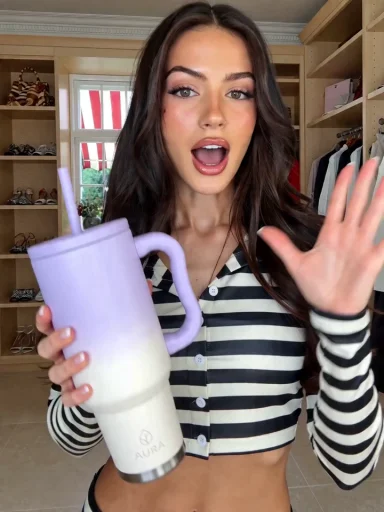
Photo2Ads / create